Track properties and underwrite a deal before you call the owner
On Finder Pro+, the Properties tab of Placements is where you track the properties you're working and their owners, and Underwriting gives you comps, market numbers and a 12-month projection for any address — so you know whether a property is worth the owner call before you make it.
The Properties tab
Open Placements and click Properties (next to Board). This is your Deal Toolset: your sourcing spreadsheet, moved in-app.
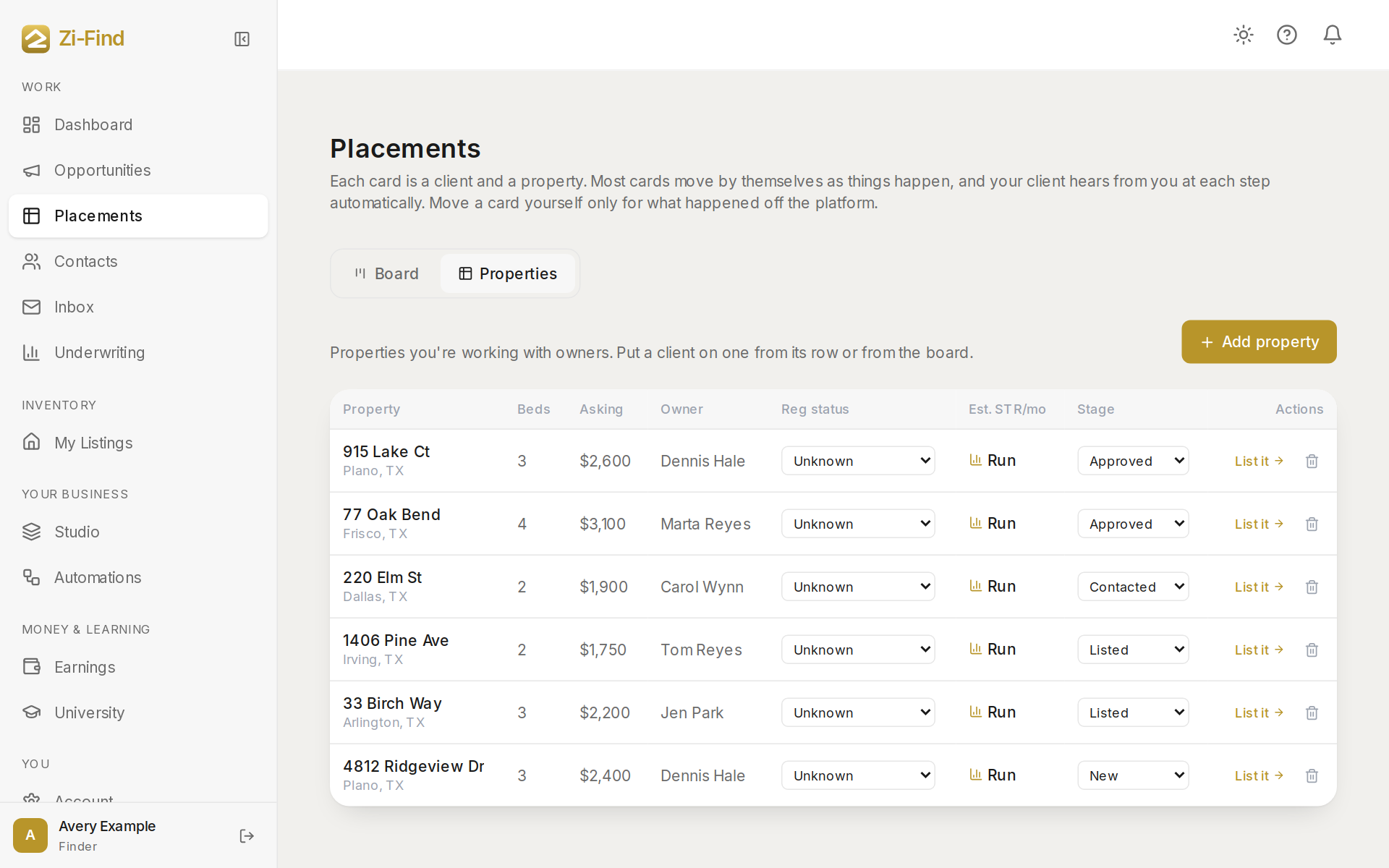
- Click Add property.
- Enter the address, Asking rent / mo, a Source link (Zillow, Facebook and so on), Owner name and Owner contact.
- Set the Regulatory status (Permitted, No permit needed, Check HOA or Unknown) and the Pipeline stage (New, Contacted, Negotiating, Approved, Listed or Dead).
- Save.
Owners you add here also appear in Contacts. Changing a property's stage to Contacted or Approved moves its placement card on the board to Owner contacted or Approved in writing.
When a property is approved, use Convert to listing to open the listing form with its details already filled in. Nothing is published until you finish and submit it.
Underwrite an address
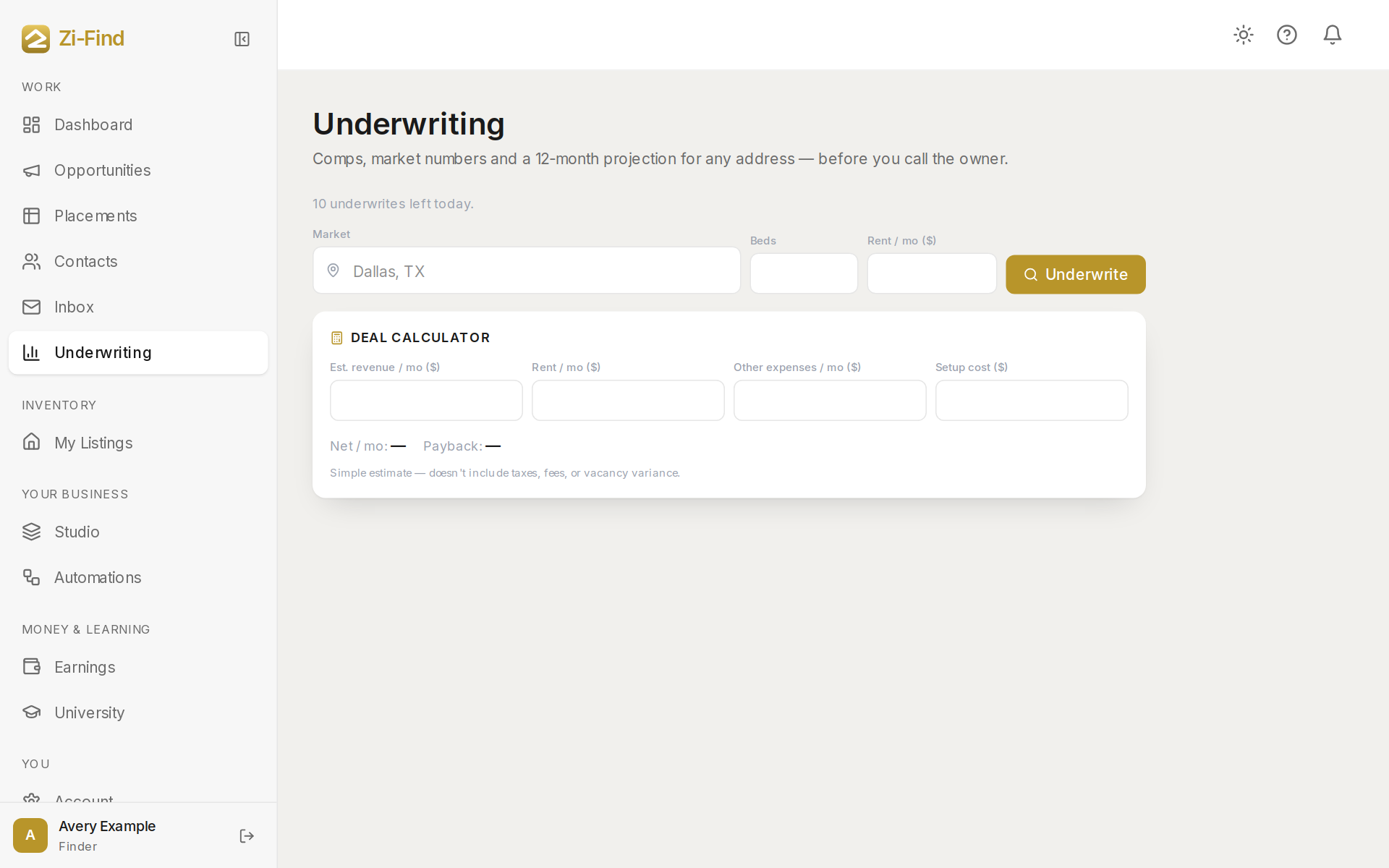
- Click Underwriting in the sidebar and enter an address — or click Underwrite on a placement card or a property.
- Read the top line: Est. STR / mo (estimated short-term-rental revenue) and Estimate confidence, which rises with more comps that agree with each other.
- Review the comps — similar nearby listings. By default the beds filter matches your property and one bed more (one extra bed covers bunk-bed capacity).
- Exclude comps that don't match what you can't change about the property, like the kitchen or the layout. Quick exclude chips remove common mismatches in one click. The numbers recalculate instantly, without another lookup.
Add your expenses
Fill in Rent / mo, Security deposit, Wi-Fi, Utilities, Insurance, Supplies and Cleaning (per turnover, or a flat monthly figure). You'll see:
- Total monthly expenses
- Startup cash — first month plus deposit
- Projected profit / mo
The verdict
A verdict chip sums it up: Exceptional, Strong, Solid, Thin margin or Doesn't pencil (projected revenue is below your all-in monthly expenses). The seasonality chart and Timing line show whether the season is heading up or down from this month, which matters for when to sign.
Daily allowance
Each new lookup uses live market data, so there's a daily allowance. The page shows how many underwrites you have left today. Re-checking comps or editing expenses on a property you already underwrote doesn't use another one.
Good to know
- These are estimates from market data, not a guarantee of what a property will earn.
- Whether a property may be used as a short-term or mid-term rental depends on the lease, HOA rules and local regulations. Check those, and talk to a licensed professional, before you rely on any number here.
- On plans below Pro+, underwriting lives inside the Deal Toolset rather than its own page.
Need more help?
Customers get support inside their account. Sign in, then open Help or the chat bubble in the corner.